Hello everyone, and welcome to this introductory course on HTML 5! I’m absolutely thrilled to guide you through this exciting journey that will open the doors to creating your very own websites. Don’t worry if all of this seems a bit mysterious right now; we’re going to demystify every concept together, step by step, with patience and clear explanations.
Imagine for a moment that the web is a vast library. Every book in this library is a webpage you visit. But how are these books constructed? How are they structured so that we can read and understand them? That’s precisely the role of HTML!
What is HTML? The Skeleton of Your Webpage
HTML stands for HyperText Markup Language. It’s the fundamental language of the web. To use a simple analogy, if your website were a human body, HTML would be its skeleton. It defines the structure and content of the page: where the headings are, the paragraphs, images, links, and so on.
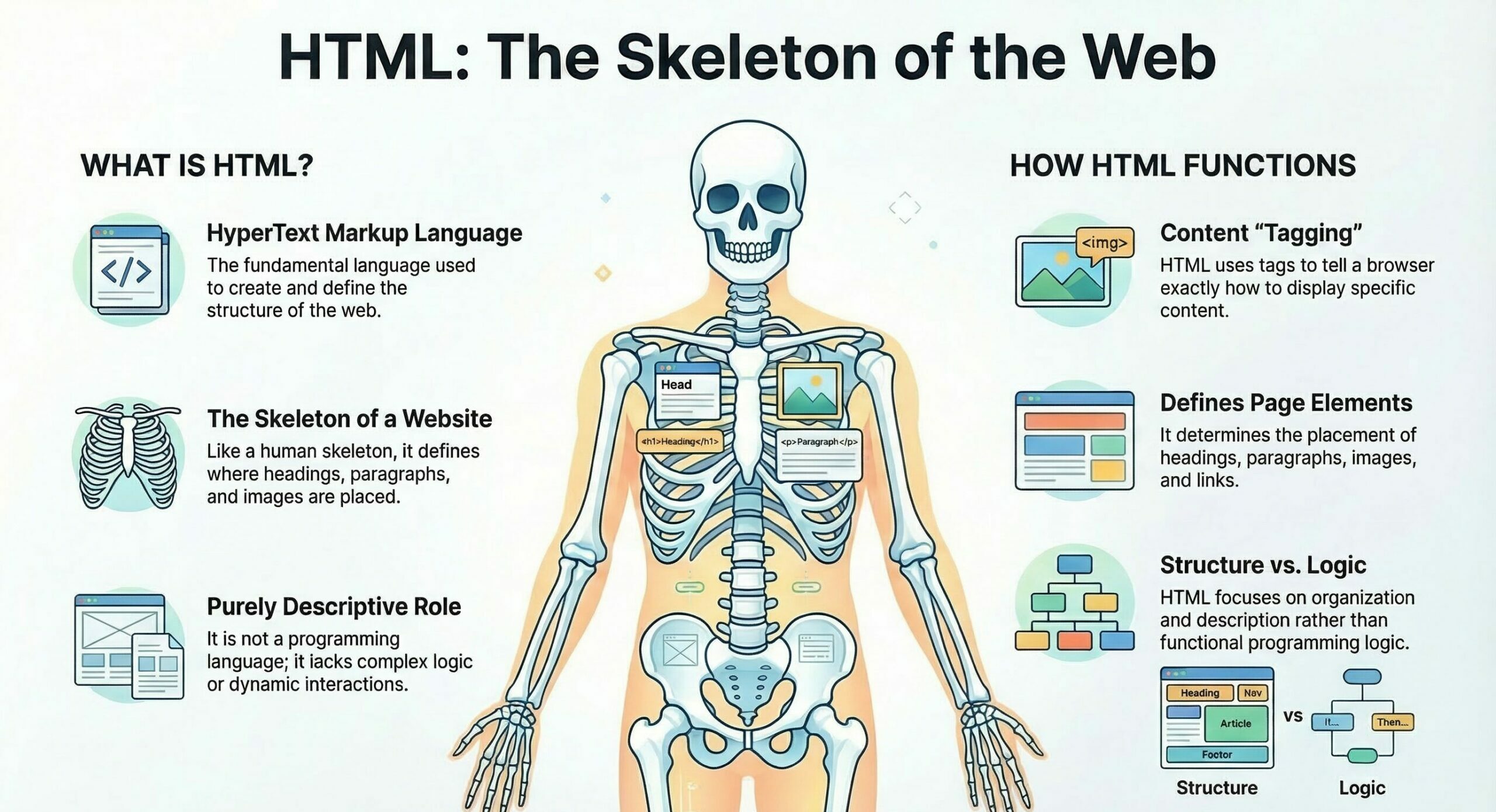
It’s not a programming language in the traditional sense, because it doesn’t allow you to create complex logic or dynamic interactions. Its role is purely descriptive: it “tags” the content to tell the browser how to display it.
HTML, CSS, and JavaScript: The Inseparable Trio of the Web
To truly understand HTML’s role, it’s essential to place it alongside its two inseparable companions: CSS and JavaScript. Let’s revisit our human body analogy:
•HTML (the Skeleton): As we’ve seen, it structures the content. It says: “Here’s a heading,” “Here’s a paragraph,” “Here’s an image.”
•CSS (the Skin, Clothes, Hairstyle): Cascading Style Sheets is the language that takes care of the appearance. It says: “This heading should be blue, centered, and large,” “This paragraph should have a specific font,” “This image should have a rounded border.” Without CSS, your webpage would be functional but very basic, without any styling.
•JavaScript (the Muscles, the Brain): This is the language that brings interactivity and dynamism to your site. It says: “When the user clicks this button, display this message,” “Scroll this image every 5 seconds,” “Validate this form before submitting it.” JavaScript allows you to create rich and responsive user experiences.
In summary, HTML provides the structure, CSS styles it, and JavaScript makes it interactive. These three languages work hand-in-hand to create the websites we use every day.
The General Structure of an HTML 5 Page: The Foundations of Your Web House
Now that we know what HTML is, let’s look at how an HTML 5 page is organized. Think about building a house: there are foundations, walls, a roof. An HTML page also has its own basic structure, always the same, which serves as a starting point.
Here are the main elements you’ll find in every HTML5 page:
<!DOCTYPE html>
This is the very first line of your HTML file. It tells the browser that the document is an HTML5 document. It’s a simple but crucial declaration.
<html lang="en">
This is the root element of any HTML page. All the content of your page (except the DOCTYPE) is located inside this tag. The lang=”en” attribute indicates that the primary language of the page’s content is English, which is useful for search engines and accessibility tools.
<head>
The <head> section contains information about the page that isn’t directly visible to the user in the browser. It’s a bit like your page’s ID card. You’ll find metadata (information about information), the page title that appears in the browser tab, links to CSS files, etc.
<body>
This is the most important part for the user! Everything you see on a webpage (text, images, videos, links, buttons) is located inside the <body> tag. It’s the visible body of your page.
Your First HTML 5 Page: “Hello World!”
It’s time to get practical! We’re going to create a very simple HTML page together. Don’t worry, we’ll break down every single line.
<!DOCTYPE html>
<html lang="en">
<head>
    <meta charset="UTF-8">
    <meta name="viewport" content="width=device-width, initial-scale=1.0">
    <title>My First HTML5 Page</title>
</head>
<body>
    <h1>Hello World!</h1>
    <p>Welcome to my very first webpage. This is an exciting beginning!</p>
</body>
</html>
Let’s dissect this code, line by line, just like a teacher would:
<!DOCTYPE html>
• As mentioned earlier, this line is a declaration. It’s not an HTML tag itself, but an instruction for the browser. It tells it: “Hey, browser! This document you’re about to read is written in HTML5!” This is crucial for the browser to correctly interpret the code.
•Imagine it’s the label on the cover of a book that says: “This is a science fiction novel” or “This is a history textbook.” Without this label, the reader might be confused.
<html lang="en">
• This is the root tag, the main container for all the content of your webpage. Absolutely everything that makes up your page (except the DOCTYPE) must be located between <html lang=”en”> and </html>. The lang=”en” attribute is very important for accessibility and search engine optimization. It informs browsers and search engines that the page content is in English.
This is the overall structure of your house, the four exterior walls and the roof that enclose everything inside.
<head>
•This section contains technical information about your page. This information is not displayed directly on the page itself, but it’s essential for its proper functioning and interpretation by browsers and search engines. This is where you define the browser tab title, character sets, links to CSS stylesheets, and so on.
• It’s a bit like the blueprints of your house: they contain vital information (where electrical cables, water pipes go) but are not visible once the house is built.
<meta charset="UTF-8">
•This is a meta tag (for metadata) that specifies the character encoding of your document. UTF-8 is the most common and recommended encoding. It allows all special characters, including accents, symbols, and characters from different languages, to be displayed correctly. Without it, you might see strange characters instead of your text.
•It’s like telling your computer: “Use this dictionary to understand all the words and symbols on this page.”
<meta name="viewport" content="width=device-width, initial-scale=1.0">
•This meta tag is crucial for responsive design, which is your site’s ability to adapt to different screen sizes (computers, tablets, smartphones). It tells the browser that the page width should adapt to the device width (width=device-width) and that the initial zoom level should be 1.0 (initial-scale=1.0). Basically, it says: “Display my page correctly on all devices!”
•It’s like giving instructions to an architect so that the house can be easily enlarged or reduced without losing its shape, depending on the available land.
<title>My First HTML 5 Page</title>
•This is the title of your webpage that appears in the browser tab or in the window’s title bar. This is also the title that search engines display in their results. It’s very important for the user and for SEO.
•This is the name of your book that appears on the spine and cover.
<body>
• This is where all the visible content of your webpage is located. Everything the user sees and interacts with (text, images, links, forms, etc.) must be placed between the <body> and </body> tags.
•This is the interior of your house, with all the rooms, furniture, and decorations. This is where life happens!
<h1>Hello World!</h1>
•<h1> is a level 1 heading tag. In HTML, there are six heading levels, from <h1> (most important) to <h6> (least important). <h1> is generally used for the main title of the page or section. It’s a block-level element, meaning it takes up the full available width and creates a line break after it.
•This is the main title of your book chapter, the largest and most visible.
<p>Welcome to my very first webpage. This is an exciting beginning!</p>
• <p> is the tag used for text paragraphs. It’s one of the most commonly used elements in HTML. All the text you want to display as a paragraph must be enclosed by <p> and </p>. Like <h1>, it’s a block-level element.
•These are the paragraphs of text that make up the body of your chapter.
</html>
•This is the closing tag for the <html> element. It indicates the end of your HTML document.
Practical Tips for Getting Started with HTML 5
Now that you’ve written your first page, here’s how to bring it to life:
1.Create an HTML file: Open a simple text editor (like Notepad on Windows, TextEdit on Mac, or even better, a code editor like VS Code, which is free and very popular). Copy and paste the code above into this file.
2.Save the file: Save it with the .html extension (for example, index.html or my_first_page.html). Make sure the encoding is UTF-8 when saving.
3.Open it in a browser: Simply double-click on your index.html file. It will automatically open in your default web browser (Chrome, Firefox, Edge, Safari). And there you have it! You’ll see your “Hello World!” displayed in the browser.
Congratulations! You’ve just created your first webpage. This is a major step!
The Importance of HTML 5 in Modern Web Development
HTML5 is much more than just an evolution of HTML. It’s a revolution that brought new semantic tags (to give more meaning to content), native multimedia capabilities (audio, video without plugins), APIs for richer web applications, and better support for responsive design. It’s the cornerstone of any modern website.
By mastering HTML5, you gain the fundamental skill to build any website, from a simple personal page to complex web applications. It’s the indispensable starting point for anyone who wants to get into web development.
Keep exploring, experimenting, and most importantly, have fun! The world of the web is vast and exciting, and you now have the foundations to start building it. Good luck with the rest of your learning journey!
Lesson summary
HTML5 (HyperText Markup Language) is a markup language used to structure and organize content on web pages. It defines elements such as headings, paragraphs, images, and links.
HTML is called the skeleton because it defines the structure and layout of a web page, just like a skeleton provides the structure for the human body.
HTML: Structures the content of a web page.
CSS: Controls the visual appearance, such as colors, fonts, and layout.
JavaScript: Adds interactivity and dynamic behavior to the page.
HTML5 introduced several important features, including semantic elements, native support for audio and video, new APIs for advanced web applications, and improved support for responsive web design.